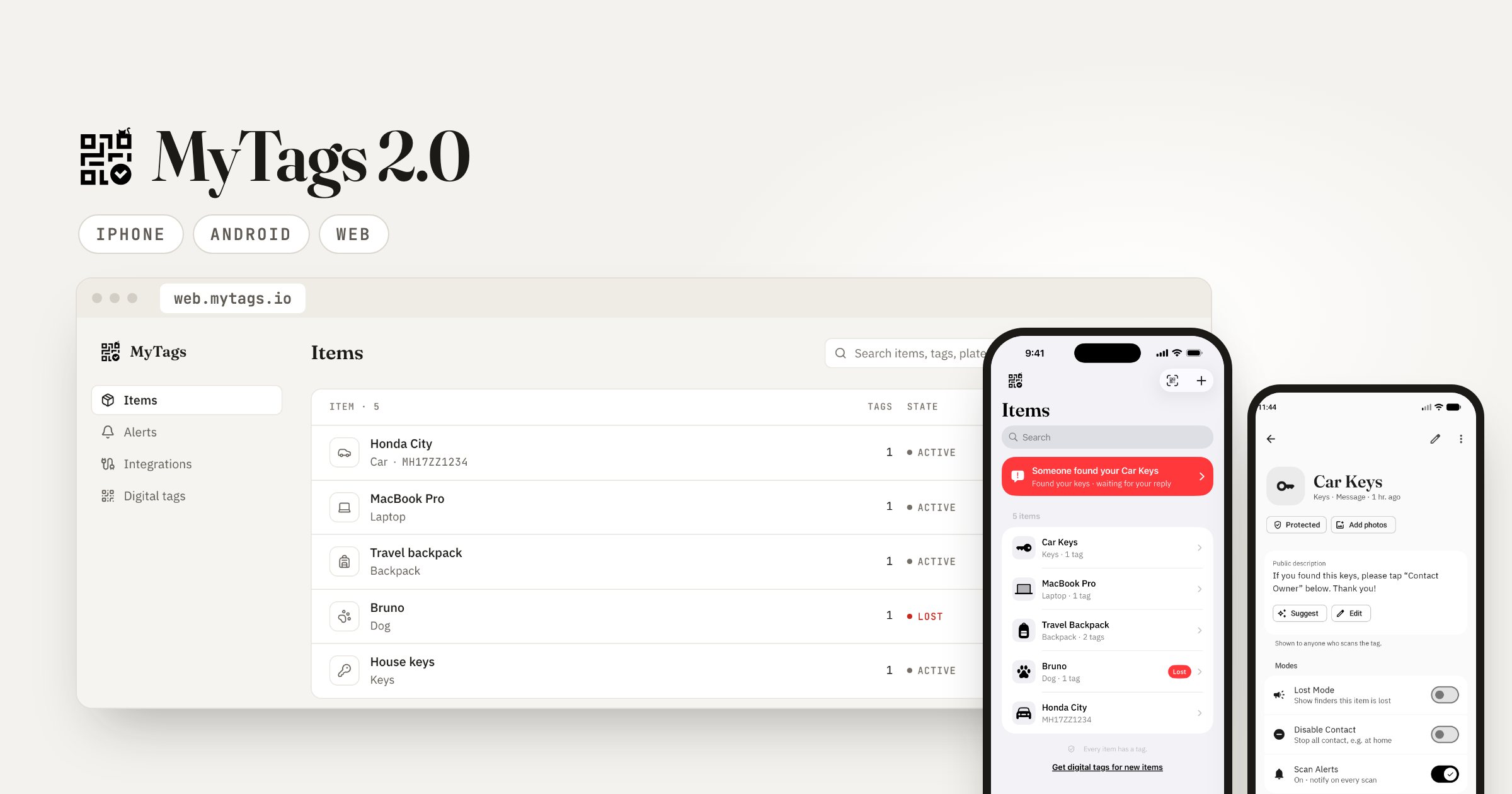
MyTags 2.0 is a full rebuild. The iPhone app and the Android app are now truly native, and there is a new web app at web.mytags.io. Your tags keep working exactly as before. What changes is everything around them: the apps are faster, simpler to use, and do a lot more when someone finds your things.
Why we rebuilt MyTags
The first MyTags app was built once and shipped to both phones. It worked, but it never felt quite at home on either one. Alerts could be slow to open, screens did not follow the way each phone works, and adding new features took longer than it should.
So we started again. The iPhone app is built with Apple’s own tools, and the Android app with Google’s. Each one looks and behaves the way its phone does: the same gestures, the same system sheets and menus, dark mode, and larger text if you use it. The result is an app that opens fast and gets out of your way.
What’s new for owners
Know the moment it’s found. When someone scans your tag and sends a message, you get a notification straight away. Open it to see their message, a photo if they took one, and where they were on a map. If they shared a number you can call them; otherwise reply in one tap with a quick reply.
One tap for every situation. Every item has three simple switches:
- Lost Mode shows finders at once that you want the item back.
- Disable Contact stops all messages, for example while the item is safe at home.
- Scan Alerts tells you each time the tag is scanned, with the approximate place and time.
Private notes, only for you. Keep serial numbers, receipts, a pet’s medical details or where the spare key is. Add photos and PDF files, and choose which notes finders can see.
Your tag’s QR, ready to go. Print it, save it as an image or share it in a few taps.
A calmer design. One clear list of your things, with the item that needs you at the top. Light and dark mode, and layouts that fit phones and tablets.
The new web app
Not everything needs a phone. Sign in at web.mytags.io to see all your items and tags on a big screen, reply to finders, and print or share your QR codes. You can also get digital tags there: pick a pack and your QR codes are ready to print or share right away.
The web app also has Integrations. Get scan alerts in Slack, or send them to your own tools with webhooks, so a found report reaches you wherever you already work.
A better page for finders
The person who finds your item never needs an app, and their side got better too. The page they see after scanning is new: your item’s photos, its name and your note come first, followed by one clear “Contact the owner” button. Pet tags now let a finder say whether they have your pet, have only seen it, or think it is hurt. Neither of you ever sees the other’s phone number or email unless you choose to share it.
You can try the finder side yourself on our demo backpack. It is a built-in demo, so nothing is sent to anyone.
How to get MyTags 2.0
- iPhone: download or update on the App Store. If you already use MyTags, you stay signed in and all your items and tags are there.
- Android: get it on Google Play. If you are updating from the old app, sign in again once. Your items and tags are all there.
- Web: sign in at web.mytags.io.
New to MyTags? Your first digital tag is free. Put it on the thing you would hate to lose most, and see how MyTags works in three short steps.
FAQ
Do my existing tags still work?
Yes. Every tag you already have keeps working with no change. The same QR opens the new finder page.
Do I need to buy anything for MyTags 2.0?
No. The update is free on the App Store and Google Play, and the web app is free to use. Physical tags and extra digital tags are optional.
Does the person who finds my item need the app?
No. They scan the tag with their normal phone camera and a simple page opens in their browser. See what the finder sees.
Is my phone number shown to the finder?
No. Messages go through MyTags, so neither side sees the other’s number or email unless they choose to share it. Read more about private QR tags.
 Give your things a voice.Tag one thing you'd hate to lose. It's free to start, and your details stay private.Create your first tag — free